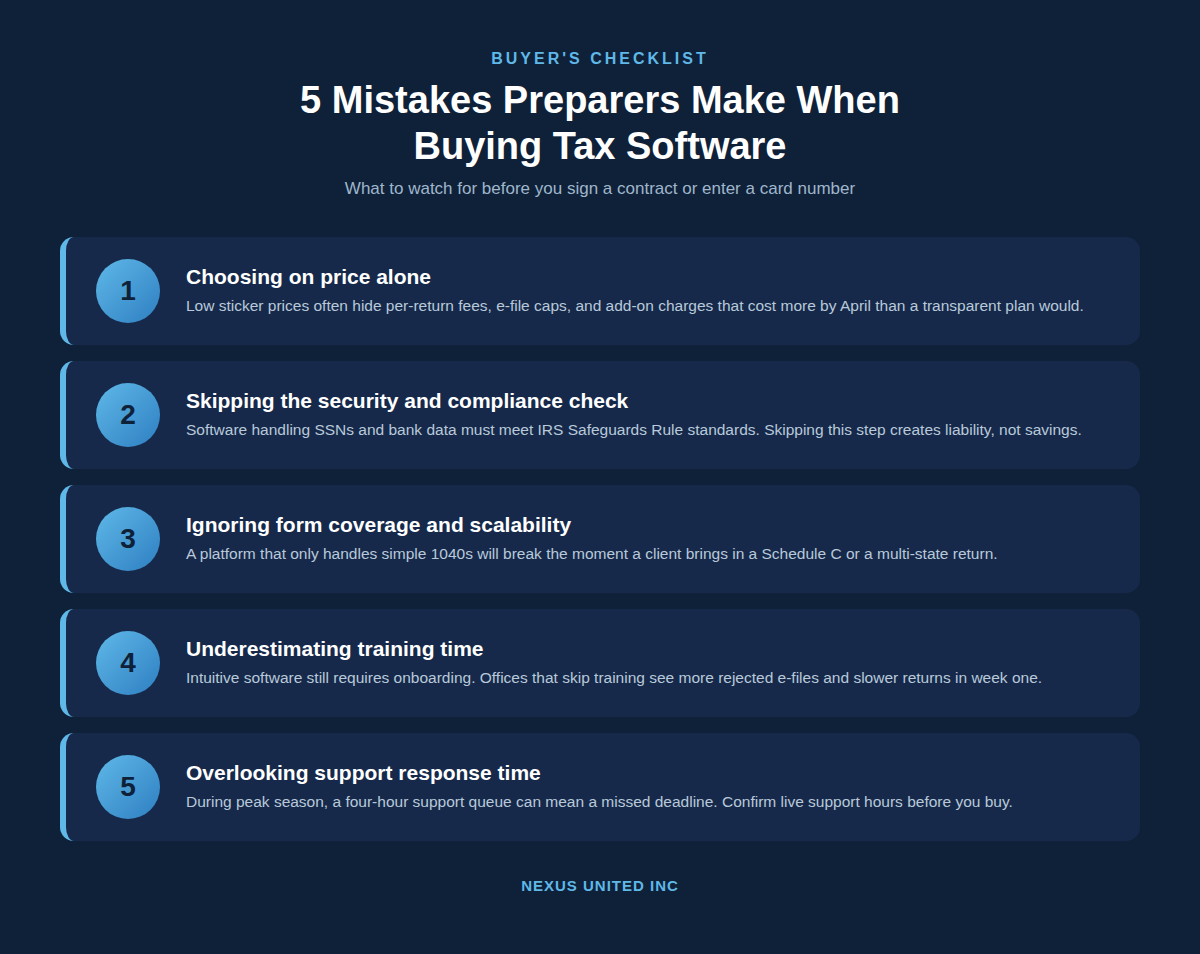
Buying tax software is one of the highest-stakes decisions a tax preparation office makes each year, yet most preparers compare vendors the way they compare phone plans, by price and headline features alone. Nexus United Inc works with tax professionals filing individual, business, federal, and state returns, and the pattern is consistent: offices that struggle every March did not pick a bad product; they skipped a step in the buying process. Below are the five mistakes that show up most often, why each one creates real cost later, and what to check before signing a contract.
A preparer who rushes the buying decision usually pays for it twice, once in the subscription fee and again in lost hours during peak filing weeks. The five mistakes covered here, price-only comparisons, weak security vetting, narrow form coverage, skipped training, and ignored support quality, account for most mid-season software complaints reported across preparer forums and review sites like Capterra and G2. Understanding them before you buy is far cheaper than switching platforms after January 15.
Mistake 1: Choosing Software Based on Price Alone
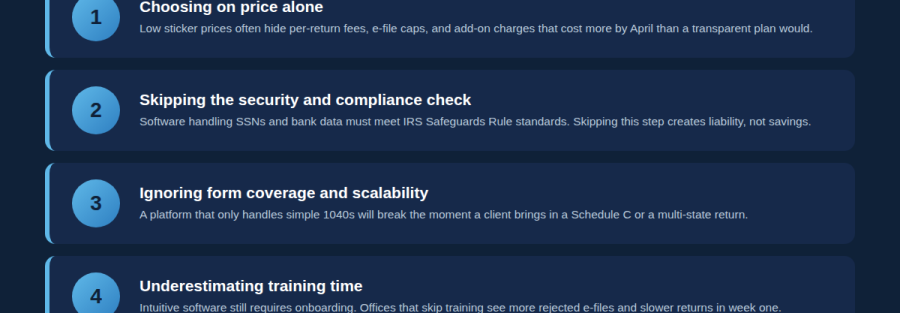
A low advertised price is the easiest thing to compare and the easiest thing to misread. Many tax software vendors publish a base price that covers only a limited number of e-files, a single state module, or a basic 1040 package. Everything past that baseline, additional states, business returns, bank product integration, or unlimited e-filing, gets billed separately.
This matters because preparers rarely buy software for a single season. The real cost of a platform includes:
- Per-return or per-state fees once you exceed the bundled limit
- Bank product and refund transfer fees on top of the bank’s own fee
- Renewal price increases above the first-year promotional rate
- Add-on charges for client portals, e-signature, or document capture
A preparer filing mostly simple W-2 returns may genuinely save on a lower-tier plan. A preparer running a multi-service office handling Schedule C, partnership, and multi-state returns often ends up spending more on a “cheap” plan once add-ons stack up than on a transparent, all-inclusive package. Ask for a full price sheet listing every fee category before comparing quotes, not after signing.
Mistake 2: Skipping the Data Security and Compliance Review
Tax software handles Social Security numbers, dates of birth, bank routing numbers, and prior-year financial data for every client an office serves. The FTC’s Safeguards Rule, enforced under the Gramm-Leach-Bliley Act, requires paid preparers to maintain a written information security plan, and the software you choose is a core part of meeting that requirement.
Security is often the last thing preparers ask about, behind price and interface design. Before buying, confirm:
| Security Question | Why It Matters |
|---|---|
| Is client data encrypted in transit and at rest? | Prevents exposure if a device or connection is compromised |
| Does the vendor support multi-factor authentication? | Blocks account takeover from a stolen password |
| Where is data hosted, and who can access it? | Determines your liability if the vendor experiences a breach |
| Will the vendor share a written security policy on request? | Required documentation for your own Safeguards Rule compliance |
A vendor that cannot answer these questions clearly is a liability risk, regardless of how polished the software looks in a demo.
Mistake 3: Ignoring Form Coverage and Scalability
Every tax software platform looks complete in a sales demo using a sample 1040. The gap shows up mid-season, when a client brings a Schedule C, a multi-state W-2, a rental property, or a small business return, and the software cannot handle it without an expensive upgrade.
Map the software’s form library against the return types your office actually handles, not just the ones you handle today. Ask specifically:
- Federal, state, and local coverage, including city-level taxes where applicable
- Business entity types you serve: Schedule C, partnerships, S-corps, or corporate returns
- Scalability if you add staff or expand service lines next season
- Whether multi-state filing is included or priced per state
Preparers who only handle individual returns today but plan to grow into business clients should weigh scalability heavily. Switching platforms mid-growth means re-entering client data, retraining staff, and possibly losing continuity on multi-year return history, the most disruptive mistake on this list to undo.
Mistake 4: Underestimating Staff Training Time
Modern tax software is built to be intuitive, but intuitive is not the same as self-explanatory. Office owners often assume that because the interface looks simple, employees can start preparing returns with little or no onboarding. This causes slower return times in the first weeks of the season and a higher rate of e-file rejections from data entry errors a trained preparer would have caught.
Training on the software is different from training someone to prepare taxes correctly. A preparer can know tax law thoroughly and still lose time fumbling through an unfamiliar interface during a client appointment. Most reputable vendors include training resources as part of the package:
- Live onboarding sessions with a vendor representative
- Recorded video walkthroughs for major workflows
- A searchable knowledge base for common questions
- Sandbox or practice-mode access before the season opens
Build training time into your season calendar before the office opens, not after the first rush of clients arrives. An hour of structured training per staff member in December saves more than an hour spent troubleshooting in the first week of February.
Mistake 5: Overlooking Support Response Time
Software problems do not wait for convenient hours. A rejected e-file at 6 p.m. on a Friday during peak season, or a login failure the morning of a client deadline, needs a fast answer, not a ticket that gets a reply in two business days. Support quality is rarely tested before purchase, because most preparers do not contact support until something has already gone wrong.
Before signing, verify:
- Live phone or chat hours during the December through April window
- Average response time, not just stated availability
- Whether support staff are based in-country and trained on the actual product
- Whether complex issues escalate quickly or stall in a queue
A useful test is to contact the vendor’s support line during the evaluation period with a real question and time the response. The answer tells you more about the vendor’s reliability under pressure than any feature list will.
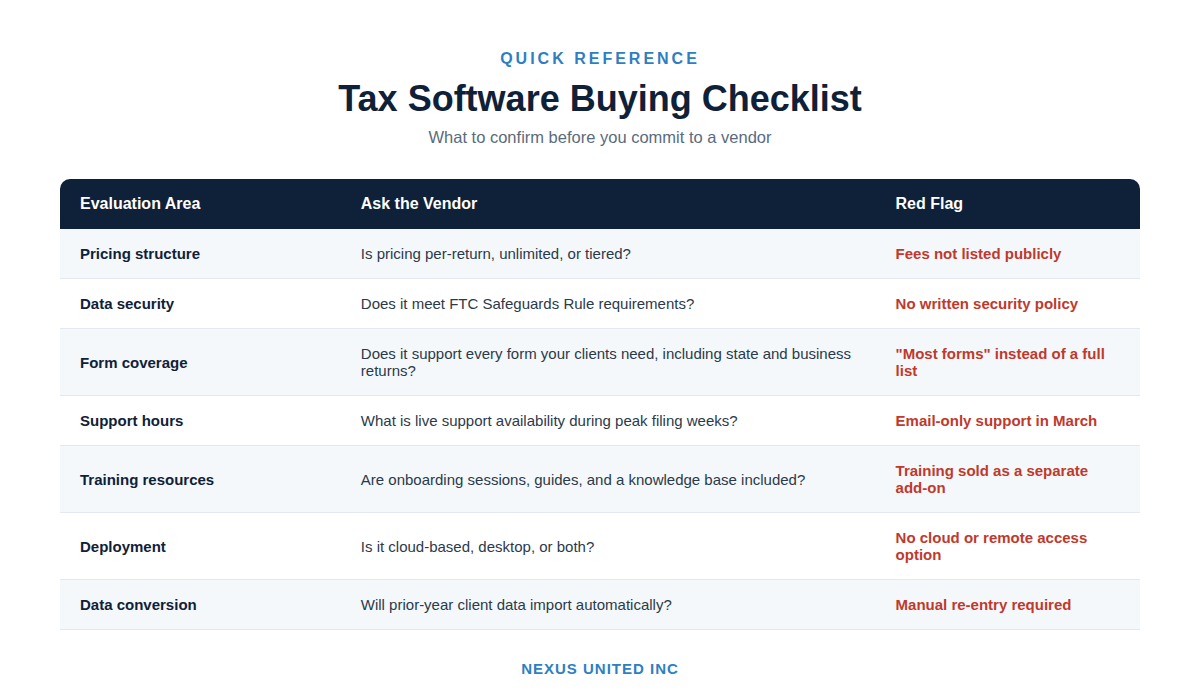
Buyer’s Checklist at a Glance
Frequently Asked Questions
What is the biggest mistake preparers make when switching tax software? Switching over a single frustrating feature, rather than evaluating the full platform, is the most common regret. No tax software handles every workflow perfectly, and a new platform often brings different limitations that feel just as disruptive.
How much should professional tax software cost? Pricing varies by return volume, state coverage, and whether bank products are included. Instead of comparing a single sticker price, request a quote covering per-return fees, state add-ons, and renewal pricing so you can compare true annual cost across vendors.
Is cloud-based tax software safer than desktop software? Cloud platforms shift most security maintenance to the vendor, which helps offices without dedicated IT staff. Desktop software puts more of that burden on the office’s own network. Either can be secure if properly maintained, so the deciding factor is the vendor’s documented security practices, not the deployment type alone.
How early should an office buy or renew tax software before the season starts? Most offices benefit from finalizing the decision by late fall, ideally October or November, leaving time for staff training, data conversion if switching platforms, and testing before the first client appointment in January.
Choosing With Confidence
The preparers who avoid these five mistakes are not the ones with the biggest budgets, they are the ones who ask sharper questions before signing. Price transparency, documented security practices, real form coverage for your client mix, included training, and tested support response time matter more over a full season than any single feature highlighted in a demo.
Nexus United Inc works with tax professionals who need software built around these priorities: transparent pricing, federal and state coverage, and support teams that understand the platform they support. Running this checklist against any vendor, including ours, is the right way to make a decision that holds up through April.